









 Modulul 2. UNELTE MS EXCEL
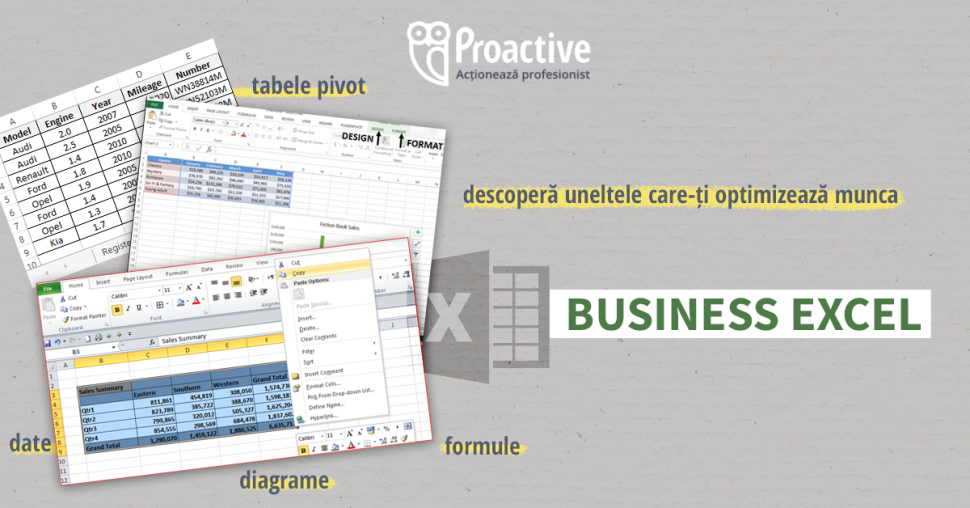
- Utilizarea formatării condiționale pentru identificarea valorilor relevante
- Utilizarea validării datelor pentru a asigura integritatea datelor introduse manual
- Modalități de protejare a unui fișier Excel
- Separarea conținutului dintr-o celulă în mai multe cu ajutorul text to columns
- Corectarea datelor scrise incorect folosind text to columns
- Centralizarea informațiilor din mai multe tabele folosind consolidate
- Calcule matematice complexe folosind Goal Seek și Solver
Modulul 3. FUNCȚII ȘI FORMULE
- Introducere în funcții și formule
- Funcții Excel: pentru dată şi oră, matematice, statistice, pentru text, financiare, de căutare și referință, logice, de lucru cu baze de date;
- Funcții matematice (SUM, SUMIF, SUMIFS etc.)
- Funcții pentru lucru cu textele (LEFT, RIGHT, CONCATENATE etc.)
- Funcții logice (IF, AND, OR, NOT)
- Funcții statistice (AERAGE, AVERAGEIF, COUNT, COUNTIF etc.)
- Funcții de lucru cu baze de date (DSUM, DCOUNT, DMAX, DMIN, DAVERAGE, DGET)
- Funcții financiare pentru efectuarea unor calcule specifice domeniului afacerilor, cum ar fi determinarea ratelor unui împrumut, determinarea valorii prezente sau viitoare a unei investiții sau a valorii unor acțiuni sau obligațiuni (FV, NPV, PMT, PV, RATE)
- Funcții de căutare și referință (VLOOKUP, HLOOKUP, INDEX + MATCH)
- Funcții pentru dată și oră (WEEKDAY, WE EKNUM etc.)
- Funcții imbricate
- Tips and tricks despre funcții și formule
Modulul 4. ANALIZA DATELOR ȘI MACRO-URI
- Utilizarea SUBTOTAL pentru analiza datelor
- Analiza volumelor mari de date folosind Pivot Table
- Grafice în Excel
- Grafice într-o celulă – sparklines
- Import de date dintr-un fișier în altul
- Automatizarea operațiilor curente utilizând macrocomenzi.
- Introducere în utilizarea platformei Power BI pentru analiza și raportarea datelor în Excel
Grup-țintă:
*persoanele care au cunoștințe de bază în Excel și doresc să le aprofundeze;
*persoanele care lucrează, de regulă, în Excel și vor să o facă mai eficient;
*persoanele care utilizează Excel în mod constant și doresc să cunoască cele mai avansate instrumente pentru susținerea deciziilor de afaceri;
*persoanele care vor să prelucreze date în mod eficient, să facă analize și rapoarte pentru a lua deciziile finale corecte.
Formator: : Varvara Țapcov - lector superior la departamentul „Informatică și managementul informațional”, ASEM; formator PROACTIVE pe tematici: MS Excel, ACCES, Word, PowerPoint în cadrul cursurilor deschise și corporative. Anterior: Centrul de Tehnologii Informaționale – Lector la cursurile de perfecționare ai cadrelor didactice; cercetător științific inferior, lector asistent la cat.„Limbaje de programare” a USM.
Investiția în cunoștințe:
Modulul 2. UNELTE MS EXCEL
- Utilizarea formatării condiționale pentru identificarea valorilor relevante
- Utilizarea validării datelor pentru a asigura integritatea datelor introduse manual
- Modalități de protejare a unui fișier Excel
- Separarea conținutului dintr-o celulă în mai multe cu ajutorul text to columns
- Corectarea datelor scrise incorect folosind text to columns
- Centralizarea informațiilor din mai multe tabele folosind consolidate
- Calcule matematice complexe folosind Goal Seek și Solver
Modulul 3. FUNCȚII ȘI FORMULE
- Introducere în funcții și formule
- Funcții Excel: pentru dată şi oră, matematice, statistice, pentru text, financiare, de căutare și referință, logice, de lucru cu baze de date;
- Funcții matematice (SUM, SUMIF, SUMIFS etc.)
- Funcții pentru lucru cu textele (LEFT, RIGHT, CONCATENATE etc.)
- Funcții logice (IF, AND, OR, NOT)
- Funcții statistice (AERAGE, AVERAGEIF, COUNT, COUNTIF etc.)
- Funcții de lucru cu baze de date (DSUM, DCOUNT, DMAX, DMIN, DAVERAGE, DGET)
- Funcții financiare pentru efectuarea unor calcule specifice domeniului afacerilor, cum ar fi determinarea ratelor unui împrumut, determinarea valorii prezente sau viitoare a unei investiții sau a valorii unor acțiuni sau obligațiuni (FV, NPV, PMT, PV, RATE)
- Funcții de căutare și referință (VLOOKUP, HLOOKUP, INDEX + MATCH)
- Funcții pentru dată și oră (WEEKDAY, WE EKNUM etc.)
- Funcții imbricate
- Tips and tricks despre funcții și formule
Modulul 4. ANALIZA DATELOR ȘI MACRO-URI
- Utilizarea SUBTOTAL pentru analiza datelor
- Analiza volumelor mari de date folosind Pivot Table
- Grafice în Excel
- Grafice într-o celulă – sparklines
- Import de date dintr-un fișier în altul
- Automatizarea operațiilor curente utilizând macrocomenzi.
- Introducere în utilizarea platformei Power BI pentru analiza și raportarea datelor în Excel
Grup-țintă:
*persoanele care au cunoștințe de bază în Excel și doresc să le aprofundeze;
*persoanele care lucrează, de regulă, în Excel și vor să o facă mai eficient;
*persoanele care utilizează Excel în mod constant și doresc să cunoască cele mai avansate instrumente pentru susținerea deciziilor de afaceri;
*persoanele care vor să prelucreze date în mod eficient, să facă analize și rapoarte pentru a lua deciziile finale corecte.
Formator: : Varvara Țapcov - lector superior la departamentul „Informatică și managementul informațional”, ASEM; formator PROACTIVE pe tematici: MS Excel, ACCES, Word, PowerPoint în cadrul cursurilor deschise și corporative. Anterior: Centrul de Tehnologii Informaționale – Lector la cursurile de perfecționare ai cadrelor didactice; cercetător științific inferior, lector asistent la cat.„Limbaje de programare” a USM.
Investiția în cunoștințe:
„Acest articol aparține exclusiv P.P. „Monitorul fiscal FISC.md” și este protejat de Legea privind drepturile de autor.
Orice preluare a conținutului se face doar cu indicarea SURSEI și cu LINK ACTIV către pagina articolului”.
1692 views
The date of publishing:
15 May /2020 07:57
Catalogul tematic
Noutăți
Tags:
curs | seminar | excel
0 comments
New account
Repeat password *
Sign in
Sign in can be to do with e-mail adresss or login
E-mail/Login *
Password *