Get the link to change the password

E-mail *

Send
Give up
logo
022 822 024

Assistment and Call Center

New account

New account

First name *
The field will be filled with letters (A to Z), who will be reflected at articles and comments
Last name *
The field will be filled with letters (A to Z), who will be reflected at articles and comments
Login *
The field will be filled with letters (A to Z) and/or numbers, without free spaces. Can be used the symbols, except the symbol _
E-mail *
The field will be completed with un valid e-mail. To this e-mail will be sent the confirmation link about the registred user account
Password *
The password will be contain at 5 to 15 characters and will be different for the date indicated at the login, name and firstname

Repeat password *

Cancel
Sign in

Sign in

Sign in can be to do with e-mail adresss or login

E-mail/Login *

Password *

Sig in with your Google account
MPass authentication
Cancel

Get the link to change the password

E-mail *

Send
Give up
EN
  • RO
  • RU
  • EN
RORUEN
logo
About usDailyThe expert position Related sectionAccounting sectorServices16Info-videoContacts

PP „Monitorul Fiscal FISC.MD”

MD-2005, Kishinev
Constantin Tanase street, no. 6
Inside „Fertilitatea-Chișinău” Corporation., 3-th floor, office 320

Antechamber:

022 822 024

E-mail:

secretariat@monitor.tax

Support and Contact Center:

022 822 024

You want to obtain an operative and complex answer?

Send your question and obtain the answer from the experts in the shortest time, at your e-mail or published in the compartment „Questions and answers”

Ask us a question

Ask us a question

You want to obtain an answer or you will can to suggest as an article necessary for your work process? Sign in on the page, send your question or suggest and obtain the answer from the experts in the shortest time, at your e-mail or published in the compartment „Questions and answers”.

E-mail: *

Message *
Message
0/500
Cancel the message
ArhivaFrequent questionsTerms and conditions of use of the page Privacy policyInstrucțiuni pentru ștergerea contului

Subscription at Newsline

facebooktwitterlinkedintelegraminstagramgoogle
MAIB logoMasterCard logoVisa logo

Site version: 1.0

Copyright 2021

All riths on the page monitorul.fisc.md belongs P.P. „Monitorul Fiscal FISC.MD”. Full or partial reproduction about informations or illustrations in either compartment is possible only with the written consent of the publication. Intellectual piracy is punishable by law.

icon

Feedback

To monitor the status of sent Feedback, initial we recommend to you to do sign in on the page. So, the answer at PP „Monitorul Fiscal FISC.md” at feedback will be save and will be displayed in your personal profile. If the feedback is sent an you aren't authentificated on the page, the message will be sent tot your e-mail.

E-mail: *

Message *
Message
0/500
Cancel the message
iconiconicon
icon
Facebook iconTwitter iconLinkedIn iconTelegram iconVK icon
icon
  • Home page
  • Daily
  • News
  • Instruiri de utilizare a serviciului „e-Factura”
Banner A1
Banner A2
Banner C3
Banner C4
Banner C5
Banner A1
Banner A2
Article image

News

Instruiri de utilizare a serviciului „e-Factura”

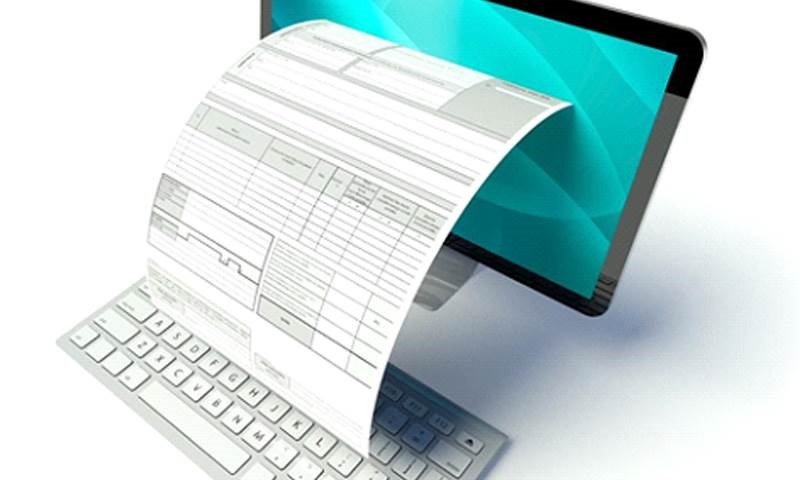
Agenții economici interesați de utilizarea facturii electronice sunt îndemnați să se înscrie la unul din cele două cursuri de instruire privind utilizarea sistemului informațional automatizat (SIA) „e-Factura”, care vor fi organizate de Centrul de Tehnologii Informaționale în Finanțe” (CTIF) la data 13 și, respectiv, 28 februarie 2020. Cursurile au o durată de patru ore fiecare și se vor desfășura cu începere de la ora 9.00 în incinta Centrului de instruire în finanțe al CTIF situat în mun. Chișinău, str. Pușkin 45, etajul 2, sala de instruire. SIA „e-Factura” administrat de CTIF este o platformă digitală ce are ca funcționalitate asigurarea procesului de înregistrare/eliberare a facturilor fiscale cu asigurarea procedurii de semnare de către vânzător și contrasemnare de către cumpărător a facturii fiscale în format electronic. Scopul principal al instruirilor este de a oferi agenților economici suport tehnic și consultativ în ceea ce privește crearea, redactarea, semnarea și circulația facturii fiscale în format electronic prin intermediul SIA „e-Factura”. Doritorii de a participa la cursurile nominalizate se pot înregistra în prealabil în regim on-line sau http://cursuri.ctif.md. Mai multe informații despre temele, durata și orarul instruirilor privind utilizarea serviciilor fiscale electronice, inclusiv a serviciului „e-Factura”, pot fi găsite pe pagina web oficială a CTIF sau apelând Centrul de instruire în finanțe al CTIF la numerele de telefon: 022 822 032, 068669942. În decursul anului 2019, CTIF a desfășurat 36 cursuri de instruire privind utilizarea serviciilor fiscale electronice, inclusiv 24 de cursuri dedicate utilizării SIA „e-Factura”, la care au fost instruiți 434 de contribuabili.

via | ctif.gov.md

Institutions:

Publicaţia periodică "Monitorul Fiscal FISC.MD" | Instituția Publică Centrul de Tehnologii Informaționale în Finanțe (CTIF)

„Acest articol aparține exclusiv P.P. „Monitorul fiscal FISC.md” și este protejat de Legea privind drepturile de autor.
Orice preluare a conținutului se face doar cu indicarea SURSEI și cu LINK ACTIV către pagina articolului”.

3
dna1s7k9v2.png

2056 views

The date of publishing:

07 February /2020 10:18

Catalogul tematic

Noutăți

Tags:

e-Factura|CTIF

0 comments

Only users registered

New account

First name *
The field will be filled with letters (A to Z), who will be reflected at articles and comments
Last name *
The field will be filled with letters (A to Z), who will be reflected at articles and comments
Login *
The field will be filled with letters (A to Z) and/or numbers, without free spaces. Can be used the symbols, except the symbol _
E-mail *
The field will be completed with un valid e-mail. To this e-mail will be sent the confirmation link about the registred user account
Password *
The password will be contain at 5 to 15 characters and will be different for the date indicated at the login, name and firstname

Repeat password *

Cancel
and autorized

Sign in

Sign in can be to do with e-mail adresss or login

E-mail/Login *

Password *

Sig in with your Google account
MPass authentication
Cancel

Get the link to change the password

E-mail *

Send
Give up
they have the right to post comments.